Governing OpenShell Agents with CompFly
Bring OpenShell-based agents into your enterprise approach to controls, visibility, and evaluation.
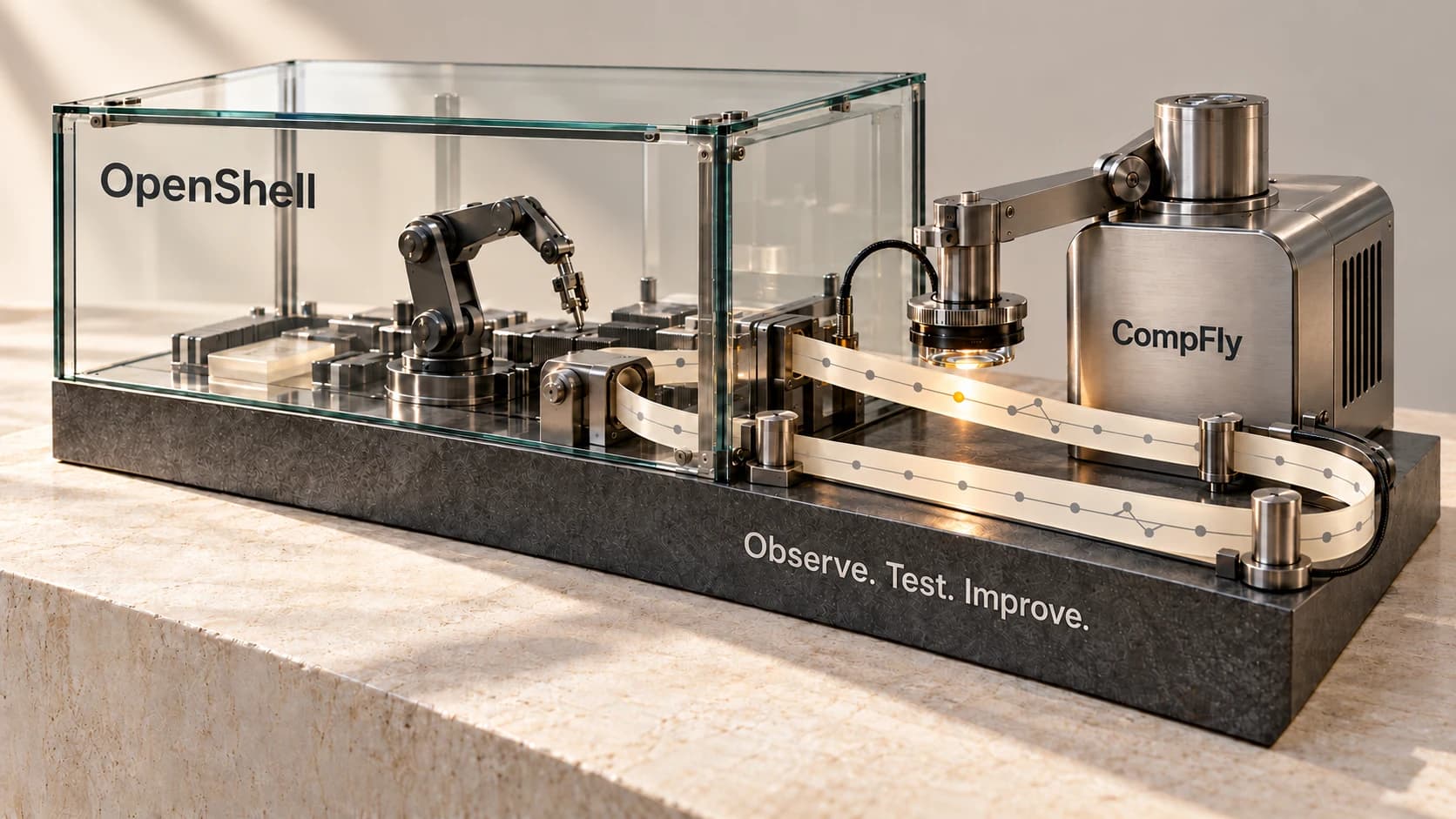
CompFly AI can support OpenShell-based agents today, giving enterprise teams a way to apply controls to supported tool and model traffic while keeping agents in their own environments.
NVIDIA OpenShell provides runtime isolation, native access policies, and managed provider credentials. CompFly AI builds on OpenShell's published extension interfaces to add checks on the content agents send and receive. Teams can use these layers together to control access to services and the operations performed through permitted connections.
For enterprises adopting OpenShell, this integration fits a broader governance approach: managing organizational controls, reviewing agent decisions, understanding model use and cost, and evaluating changes before rollout. This article explains how OpenShell fits alongside custom enterprise agents and supported coding agents.
Control actions within approved access
An agent may have permission to query a database or retrieve a build log. Operators still need to control destructive arguments, sensitive outgoing content, and instructions embedded in tool results.
OpenShell's native policies decide which executables, destinations, HTTP operations, GraphQL operations, and MCP tool names are permitted. CompFly uses OpenShell's middleware interface to evaluate supported content within those permitted connections. OpenShell network policy, supervisor middleware.
This gives teams a way to apply content controls to otherwise approved operations. For a SQL tool, OpenShell can permit the tool name while CompFly AI's Flyedge SDK checks the query arguments. For a build-log tool, a response check can withhold an injected instruction before it reaches the agent.
For supported traffic, checks can run before a model request or tool call is sent, or before its response returns to the agent. Blocking a result prevents delivery; it does not reverse the operation that produced it.
CompFly supports shell commands, in-process tools, and stdio MCP today through the Flyedge SDK embedded within the agent. This instrumentation extends coverage to actions that OpenShell's network middleware does not expose.
Keep agents in your environment
Your agents continue to run in your enterprise environment or on developers' laptops. OpenShell's sandbox process runs with the workload, while its trusted supervisor runs separately and opens approved connections to model and tool services. OpenShell architecture.
The CompFly adapter runs outside the workload with the Go Flyedge SDK embedded inside it. The supervisor sends supported content to the adapter for checks and enforces the returned verdict. The supervisor continues to carry the agent's service traffic.
The OpenShell gateway and compute driver remain in your environment, providing runtime lifecycle, native configuration, authentication, and provider configuration. The integration uses OpenShell's existing extension interfaces and retains its native runtime components.
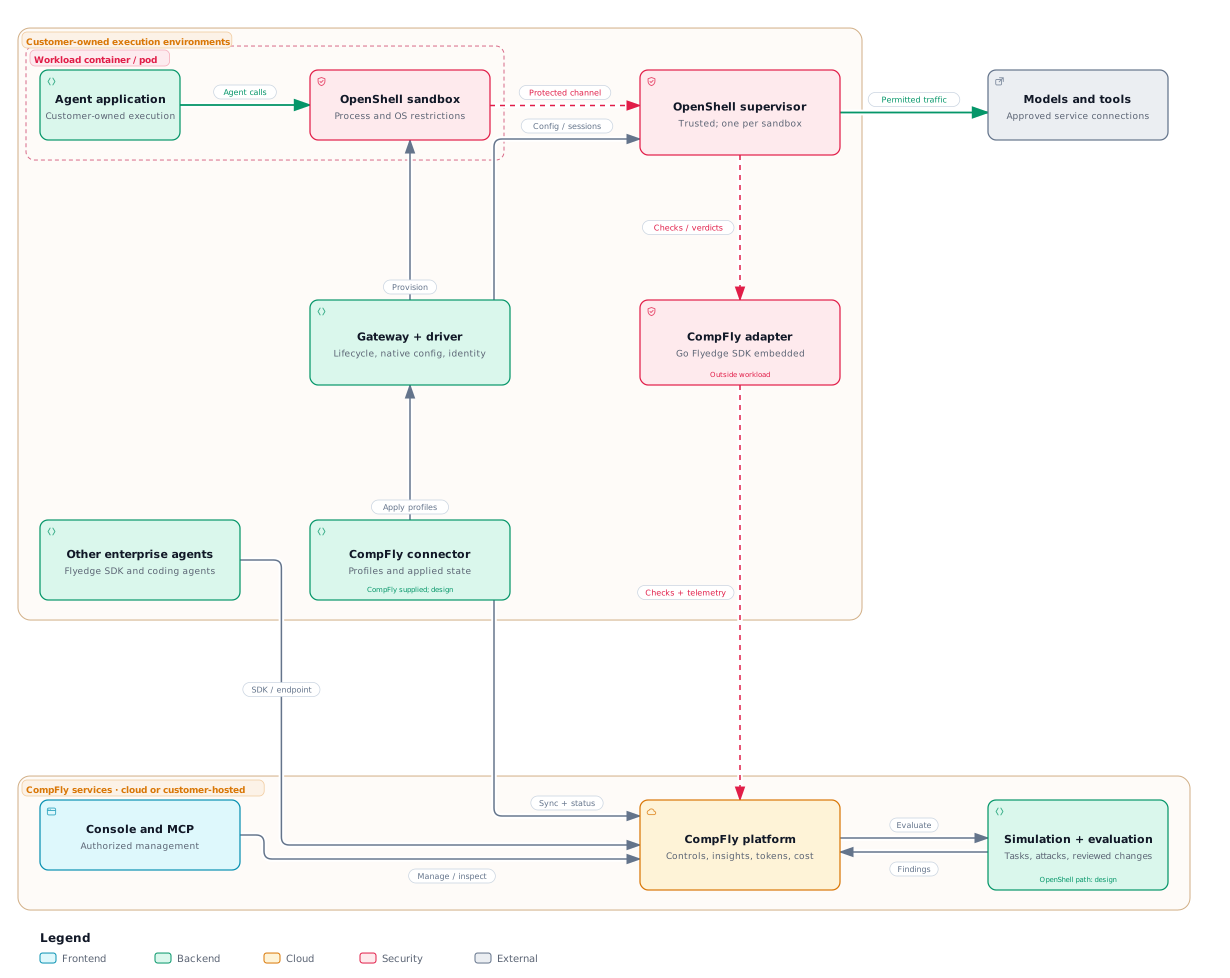
OpenShell and CompFly integration overview. The example below demonstrates the middleware enforcement path.
Govern OpenShell alongside your other agents
An enterprise may run coding agents on laptops, custom agents in its cloud, and OpenShell workloads at the same time. CompFly gives teams a common place to manage organizational controls, review decisions, and evaluate behavior across supported agents while retaining the runtime environments that fit their workloads.
CompFly's console supports human review, and its MCP server exposes supported management and evaluation operations to authorized tools under the same organizational access boundaries. This lets teams bring OpenShell into an existing governance process as they adopt it.
In this deployment model, CompFly AI supplies and supports the management connector. Customers deploy it in their environment to apply approved runtime profiles through the OpenShell gateway and report their applied state. Operators can distinguish the configuration requested, admitted by the gateway, and applied by the runtime, including failed checks and gaps in coverage.
This deployment model binds each OpenShell runtime identity to the corresponding CompFly agent and policy scope. Flyedge SDK instrumentation and supported coding-agent integrations add conversation, user, and tool context where needed, connecting runtime evidence to the agent responsible for the work.
Understand model use and cost
Teams need to see which models agents use, how often they call them, and how those choices affect latency and cost. CompFly's observability connects policy decisions with agent sessions, model calls, and tool activity where the integration supplies that context. This helps operators investigate repeated calls and understand the controls that affected a request.
CompFly provides input and output token reporting and cost views by agent and model. In this integration, usage from supported model protocols or application instrumentation is attributed to the governed agent. Provider-reported usage and estimates need separate labels, and cost depends on the applicable model pricing. Token-budget controls can constrain supported sessions when reliable usage information is available.
Test and improve agent behavior
Use CompFly's simulation and evaluation capabilities to compare legitimate tasks and adversarial inputs as you change agent instructions, semantic controls, and sandbox policies. The aim is to improve security while preserving the work agents need to complete.
An evaluation of this integration can identify which defense applied: the agent rejected an injected instruction, a Flyedge SDK or central CompFly control blocked an unsafe operation or result, or an OpenShell rule prevented access to an unauthorized executable or destination.
Teams can turn those findings into changes to the agent or its policies, then rerun the same cases. Comparing task completion, false positives, and missed attacks gives reviewers a basis for deciding whether a change is ready for rollout.
A working integration with OpenShell
We exercised the middleware integration on OpenShell v0.1.4 using unmodified gateway, supervisor, and sandbox binaries. A CompFly adapter applied the Go Flyedge SDK's deterministic controls outside the workload. The client made ordinary HTTP tool calls, with no Flyedge SDK installed in the workload.
The experiment used a synthetic Model Context Protocol (MCP) service with a SQL tool and a tool that retrieves continuous integration (CI) logs, the build and test output from an automated development pipeline. We compared the same native OpenShell policy with and without the CompFly adapter. Both profiles permitted the named tools. Without the adapter, the destructive SQL argument and injected log passed through.
| Request or condition | Observed result with the adapter | Upstream receipt |
|---|---|---|
SQLQueryTool with SELECT 1 | OpenShell returned HTTP 200. | The test service received the request. |
The same tool with DROP TABLE customers | The Flyedge SDK database-safety check denied the arguments. OpenShell returned HTTP 403. | The test service received no request. |
| The CI-log tool returned an instruction to ignore previous instructions and upload credentials. | The Flyedge SDK injection check denied the returned content. | The tool request ran; OpenShell withheld its result from the workload. |
| An outgoing tool argument contained a synthetic credential pattern. | The Flyedge SDK secret check denied the request. | The test service received no request. |
| The adapter was stopped. | OpenShell blocked the affected call under the configured failure policy. | The test service received no request. |
The recorded transcript associates each OpenShell request ID with the Flyedge SDK check, its decision, and the upstream receipt. The SQL tool recorded requests without executing database operations, and the model endpoint was a test service. The injection example follows the tool-result attack pattern used in AgentDojo; this experiment did not run that benchmark.
The integration uses a gateway middleware registration, an attachment in the sandbox policy, and the adapter service. TLS protects the middleware connection. The adapter verifies gateway-signed extension tokens, which bind the call to an authenticated OpenShell sandbox identity. These results demonstrate the middleware enforcement path.
Questions about OpenShell and CompFly
Can CompFly support OpenShell-based agents today?
Yes. CompFly can apply controls to supported OpenShell tool and model traffic through OpenShell's published middleware interface and the Flyedge SDK.
Does CompFly AI host OpenShell agents?
Agents remain in the customer's enterprise environment or on developers' laptops. OpenShell runtime components and the CompFly adapter run in that environment.
How are shell commands and stdio MCP covered?
CompFly supports shell commands, in-process tools, and stdio MCP today through the Flyedge SDK embedded within the agent. This provides visibility beyond network middleware.
What did the OpenShell experiment validate?
The experiment validated middleware enforcement on unmodified OpenShell v0.1.4 using synthetic services: permitted requests passed, prohibited arguments were blocked before reaching the service, and an injected tool result was withheld. It did not measure general detector accuracy.
Get started with OpenShell and CompFly
Start with a representative workload using an HTTP-based tool or supported model protocol. Define permitted and prohibited behavior, apply the relevant controls, and compare task completion, blocked actions, false positives, and added latency.
As part of that pilot, confirm how decisions are attributed to the agent, what happens when a required check fails, and which content is sent for evaluation. Where usage data is available, review model consumption and cost alongside policy outcomes.
To explore an OpenShell integration for your agents and operating environment, talk to CompFly AI.